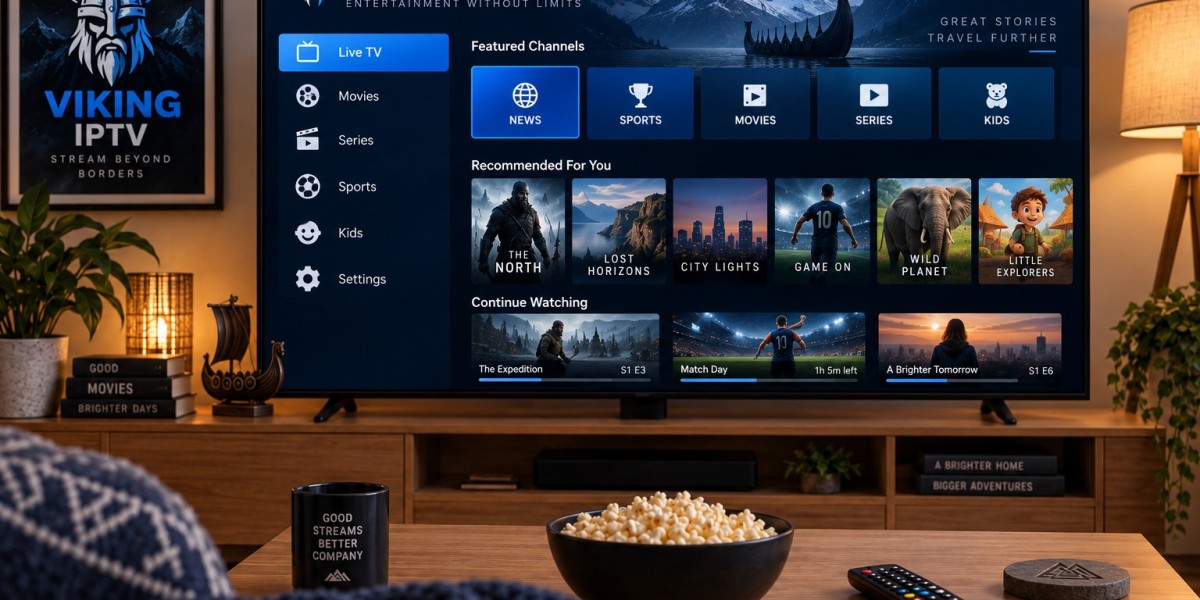

Streaming habits have changed significantly in recent years. Many households now prefer internet-based viewing because it allows television, movies, sports, and other entertainment to be accessed across different devices. IPTV is one technology that supports this shift by delivering television content through an internet connection rather than a traditional terrestrial, satellite, or cable signal.
For viewers in Sweden and other Nordic countries, choosing an IPTV setup involves more than simply finding a compatible app. Internet quality, device performance, connection type, application settings, and content preferences can all affect the viewing experience.
Understanding these factors can help users build a more practical and reliable streaming environment at home.
What Is IPTV and How Does It Work?
IPTV stands for Internet Protocol Television. Instead of receiving television broadcasts through conventional transmission methods, an IPTV-compatible device receives video streams over an internet connection.
The basic setup normally includes:
- A stable internet connection
- A compatible television or streaming device
- An IPTV player or application
- Access details supplied by the selected service
- Correct configuration of the application
Once everything is configured, the device communicates with the streaming service and displays available live television or on-demand content through the chosen player.
The exact setup process depends on the device and application being used.
Start With a Stable Internet Connection
Internet performance is one of the most important parts of an IPTV setup. Even powerful televisions and streaming boxes cannot compensate for an unstable connection.
Connection Stability Matters
People often focus only on advertised download speed, but consistency is equally important. A connection that frequently drops or experiences large speed fluctuations may cause buffering even when its maximum speed appears sufficient.
Households with several connected devices should also consider how bandwidth is being shared. Gaming consoles, computers, smartphones, cloud backups, and other streaming services may all be using the same connection.
Ethernet vs Wi-Fi
A wired Ethernet connection is often the preferred option when the television or streaming device is close enough to the router.
Ethernet can provide:
- More consistent connectivity
- Less interference
- Lower risk of temporary signal drops
- Better performance in busy wireless environments
Wi-Fi can still work well, especially with a modern router and strong signal coverage. If Wi-Fi is necessary, placing the router in an open location and reducing physical barriers between the router and streaming device can improve performance.
Choose the Right Streaming Device
IPTV can be used on many types of hardware, but the experience can differ considerably between devices.
Smart TVs
Modern Smart TVs often support third-party media players and IPTV applications. This allows users to stream directly through the television without adding another device.
Before choosing an application, check whether it is officially available for the television's operating system.
Common Smart TV platforms include systems from:
- Samsung
- LG
- Android TV
- Google TV
Application availability can vary between models, regions, and software versions.
Android TV and Streaming Boxes
Android-based devices are popular because they generally provide access to a wide selection of media applications.
A capable streaming box can also be useful for an older television that lacks modern smart features.
When selecting a box, consider:
- Processor performance
- Available memory
- Operating system support
- Network connectivity
- Video resolution support
Choosing established hardware with regular software updates can provide a better long-term experience.
Smartphones and Tablets
Mobile devices provide another convenient way to watch IPTV. Android phones, iPhones, and tablets can often run compatible IPTV players.
Mobile viewing is particularly useful when users want access to their streaming setup away from the main television, provided their service and network configuration support it.
Select an IPTV Player That Fits Your Device
An IPTV service and an IPTV player are not necessarily the same thing.
The player is the software used to organize and display the stream. Depending on the setup, users may receive login credentials, playlist information, or another supported configuration method from their provider.
When comparing players, useful features may include:
- Simple navigation
- Favorites
- Electronic program guide support
- Search functionality
- Multiple profile options
- Parental controls
- Playlist management
- Support for different video formats
The best application is usually the one that works reliably on the user's main device and provides an interface they find easy to navigate.
Consider Nordic Viewing Preferences
Viewers in Sweden and neighboring Nordic countries may have different content priorities from users in other regions.
For example, some households may primarily look for Swedish entertainment, while others want a broader mix of Scandinavian and international programming. Sports followers may place more importance on live-event navigation, while families may prioritize movies and series.
This makes it useful to review the structure and compatibility of a service rather than choosing solely based on the size of an advertised content library.
Users researching services aimed at Nordic audiences can explore VIKING IPTV as part of their comparison and evaluate whether its available options, device compatibility, and setup approach match their own requirements.
Pay Attention to Video Quality
Higher resolution does not automatically guarantee a better viewing experience.
Video quality depends on several factors working together, including:
- Source stream quality
- Internet stability
- Device capabilities
- Television resolution
- Application performance
- Network congestion
A stable Full HD stream can sometimes provide a more enjoyable experience than a higher-resolution stream that frequently buffers.
Users with 4K televisions should also confirm that their streaming device, HDMI connection, application, and network can handle the required resolution.
Keep Apps and Devices Updated
Software updates can improve compatibility, security, and performance.
Users should periodically check for updates to:
- Smart TV firmware
- Streaming box operating systems
- IPTV applications
- Router firmware
- Mobile operating systems
Older applications can sometimes develop compatibility issues after device software changes.
Keeping both the player and device updated reduces the likelihood of avoidable technical problems.
Troubleshooting Common IPTV Problems
Even a properly configured setup can occasionally experience streaming problems.
Buffering
If a stream repeatedly pauses, test the internet connection first.
Possible solutions include:
- Restarting the router
- Restarting the streaming device
- Closing unnecessary applications
- Testing an Ethernet connection
- Checking whether other devices are consuming bandwidth
App Freezing
If the IPTV player becomes unresponsive, closing and reopening the application may solve the problem.
If the issue continues, check for application updates or restart the device.
Channels Not Loading
A single unavailable stream does not always indicate a problem with the user's internet connection.
Try another channel or piece of content. If everything fails simultaneously, check the network connection and configuration before making changes to the device.
Poor Picture Quality
Confirm that the television and application are using appropriate display settings. Automatic video settings are often suitable, but some devices allow manual resolution adjustments.
Think About Ease of Setup and Support
Technical features are important, but usability should also be considered.
Clear installation instructions can make a major difference for people setting up IPTV for the first time. A service that provides understandable guidance for common platforms may reduce configuration problems.
Before choosing an option, users should look for information about:
- Supported devices
- Installation procedures
- Account setup
- Troubleshooting
- Available support channels
Reviewing these details before purchasing can prevent unnecessary compatibility problems later.
Use IPTV Responsibly
IPTV itself is simply a method of transmitting television through internet protocols. Content rights and licensing can differ between providers, programs, and countries.
Users should understand the applicable rules in their location and make informed decisions about the services and content they access.
It is also sensible to follow normal online security practices, such as keeping devices updated, protecting account credentials, and avoiding unknown applications from untrusted sources.
Final Thoughts
A good IPTV experience depends on the complete setup rather than one individual component.
A stable internet connection provides the foundation. A capable device handles playback. A suitable IPTV player makes navigation easier, while correct configuration helps everything work together properly.
For Nordic viewers, content preferences, device compatibility, streaming quality, ease of installation, and support are all worth comparing before selecting a service.
Taking a few minutes to evaluate these factors can help create a streaming setup that is easier to use, easier to maintain, and better suited to everyday entertainment.