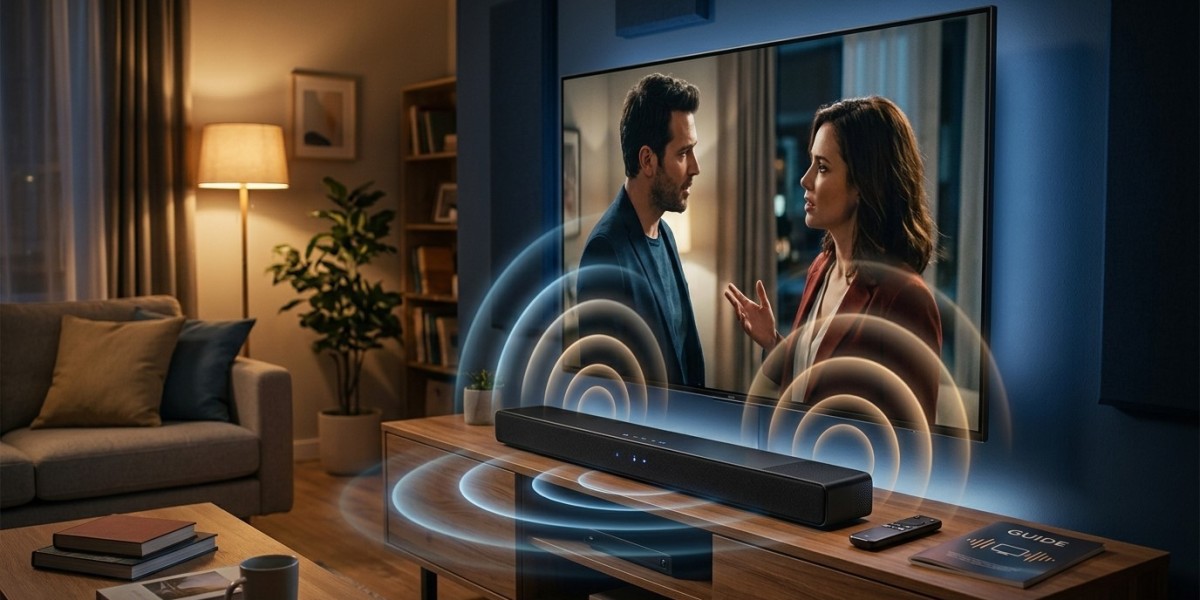

Clear television sound makes a big difference when watching Indian movies, live cricket, news, and regional entertainment. However, dialogue can sometimes be difficult to understand, background music may sound too loud, or advertisements may suddenly become much louder than the program.
If you use IPTV India services or watch content through an Indian IPTV Box, adjusting your TV's audio settings can improve your listening experience. You may not even need to purchase new equipment.
This guide explains how to improve dialogue clarity, choose a suitable soundbar, and adjust audio settings for better everyday TV viewing.
Table of Contents
Why Does TV Sound Sometimes Seem Unclear?
Adjust Your TV's Audio Settings
How a Soundbar Can Improve TV Sound
Choose the Right Audio Connection
Improve Sound Placement in Your Room
Troubleshoot Common TV Audio Problems
Frequently Asked Questions
Final Thoughts and CTA
1. Why Does TV Sound Sometimes Seem Unclear?
Modern televisions are often designed with slim screens and compact speakers. Depending on the model, these speakers may struggle to produce full, balanced sound, particularly in larger rooms.
Common audio problems include:
Dialogue that is difficult to understand.
Background music that overpowers conversations.
Excessive bass that makes voices sound muddy.
Sudden volume changes between programs and advertisements.
Audio that does not match the movement of people's lips.
The sound mix itself can also affect clarity. Movies and dramatic programs may contain music and sound effects that compete with speech.
Fortunately, a few simple adjustments can often make dialogue easier to hear.
2. Adjust Your TV's Audio Settings
Before buying a soundbar, explore your television's built-in audio options.
Select Standard or Clear Voice Mode
Many televisions include audio presets such as Standard, Cinema, Music, Sports, or Clear Voice.
For Indian news channels, dramas, interviews, and everyday programs, start with Standard Mode or a dedicated Dialogue Enhancement setting.
Dialogue enhancement can emphasize vocal frequencies, helping speech stand out from background sounds. The feature may have different names depending on the manufacturer.
Adjust Bass and Treble
Bass controls lower-frequency sounds, while treble affects higher-frequency details.
Try these adjustments:
Reduce bass slightly if voices sound heavy or muffled.
Increase treble modestly if speech sounds dull.
Avoid extreme adjustments that make voices harsh or unnatural.
Make small changes and test them with a familiar TV program.
Enable Auto Volume or Night Mode
Some televisions offer Auto Volume, Volume Leveling, or Night Mode.
These features help reduce sudden differences between quiet dialogue and loud sound effects. They can be especially useful when watching television late at night or when you do not want to disturb other household members.
Remember that the exact features available depend on your TV model.
3. How a Soundbar Can Improve TV Sound
A soundbar is an external speaker system designed to improve the audio produced by a television. It can be a useful upgrade if your TV speakers do not provide enough clarity or volume.
Benefits of a Soundbar
Clearer dialogue on compatible models.
Fuller sound for movies and entertainment.
Better audio coverage in some rooms.
Additional controls for voice clarity, bass, and treble.
Optional surround-sound features on supported systems.
What Should You Look For?
If dialogue clarity is your main priority, look for a soundbar with a dedicated voice-enhancement feature. Some models also include a dedicated center channel that helps reproduce dialogue clearly.
You do not necessarily need an expensive surround-sound system. A simple soundbar with balanced audio and effective dialogue controls may be sufficient for a small living room.
Before purchasing, check that the soundbar supports your television's available audio connections.
4. Choose the Right Audio Connection
Connecting your soundbar correctly helps you get the best results.
HDMI ARC or eARC
HDMI ARC allows compatible televisions to send audio to an external soundbar through an HDMI connection. HDMI eARC supports additional audio capabilities and higher-bandwidth audio formats.
If both devices support ARC or eARC, connect the soundbar to the HDMI port labeled ARC or eARC and enable the appropriate settings.
Optical Audio
An optical cable is another common option for connecting a TV to a soundbar. It can provide good-quality audio, although its supported formats differ from those available through HDMI eARC.
Connecting an Indian IPTV Box
An Indian IPTV Box may connect directly to your television through HDMI, with the TV then sending audio to the soundbar.
Check the audio settings on both devices if sound is missing or incompatible. Available formats and connection options vary by equipment.
5. Improve Sound Placement in Your Room
Your room layout can affect how clearly you hear television audio.
Try these simple tips:
Position the TV and soundbar facing the main seating area.
Keep the soundbar unobstructed by furniture.
Avoid placing speakers inside enclosed cabinets unless designed for that placement.
Sit at a comfortable distance where dialogue remains clear.
Reduce competing background noise when watching programs with quiet dialogue.
If your soundbar includes automatic room calibration, follow the manufacturer's instructions to configure it for your space.
6. Troubleshoot Common TV Audio Problems
| Problem | Possible Cause | What to Try |
|---|---|---|
| Dialogue sounds muffled | Excessive bass or unsuitable audio mode | Reduce bass and test dialogue enhancement |
| Music is louder than speech | Audio mix or sound settings | Try a voice-enhancement mode |
| Volume changes suddenly | Differences in program audio levels | Enable Auto Volume or Night Mode |
| No sound from soundbar | Incorrect connection or input | Check HDMI, optical cable, and selected input |
| Audio and video are out of sync | Device processing or connection settings | Check audio delay and synchronization options |
| IPTV sound is missing | Source-device settings or incompatible audio format | Check the IPTV box and TV audio output settings |
If the problem occurs across multiple apps and channels, check the television and sound system. If it affects only one channel or program, the source may be responsible.
7. Frequently Asked Questions
How can I make TV dialogue clearer without buying a soundbar?
Try Standard Mode, Dialogue Enhancement, or Clear Voice. Reduce excessive bass and adjust treble gradually until speech sounds natural.
Is a soundbar better than built-in TV speakers?
A suitable soundbar can provide clearer dialogue and fuller sound, but performance varies by model, room, and settings.
Should I use Cinema Mode for Indian TV channels?
Cinema Mode can work well for movies and dramas, but Standard Mode or Dialogue Enhancement may be better for news and conversation-heavy programs.
Why is my TV sound too loud during advertisements?
Different programs and advertisements may have different audio levels. If your TV supports Auto Volume or Volume Leveling, enabling it may reduce sudden changes.
Can an Indian IPTV Box affect sound quality?
Yes. Source-device audio settings and supported audio formats can affect playback. Check that the box, television, and soundbar are configured compatibly.
8. Final Thoughts and CTA
Better TV sound does not always require expensive equipment. Start by adjusting your television's audio mode, balancing bass and treble, and enabling dialogue enhancement or volume leveling if available. If you still want fuller sound, consider a compatible soundbar designed to suit your room and listening needs.
For a more enjoyable IPTV India experience, combine clear audio settings with a stable streaming setup and a compatible Indian IPTV Box. These simple improvements can make Indian movies, live sports, news, and regional programs easier to enjoy.
Ready to improve your TV sound? Try the recommended audio adjustments today, test them with your favorite program, and explore a suitable soundbar if your built-in speakers still do not deliver the clarity you need.