
Walk into almost any school office in April and you'll see the same thing. Admission files stacked on one desk. A fee ledger open on another. Someone updating attendance in Excel while their phone buzzes with messages from three different parent WhatsApp groups.
The problem usually isn't a lack of tools. It's that none of the tools talk to each other. So the same child's name, class and phone number get typed again and again, by different people, in different places. One small change, like a new phone number, and the records stop matching.
That's why more schools are moving everything onto one connected platform. And if you're hunting for the best school ERP software, here's the honest truth: a long feature list matters far less than how well those features work together.
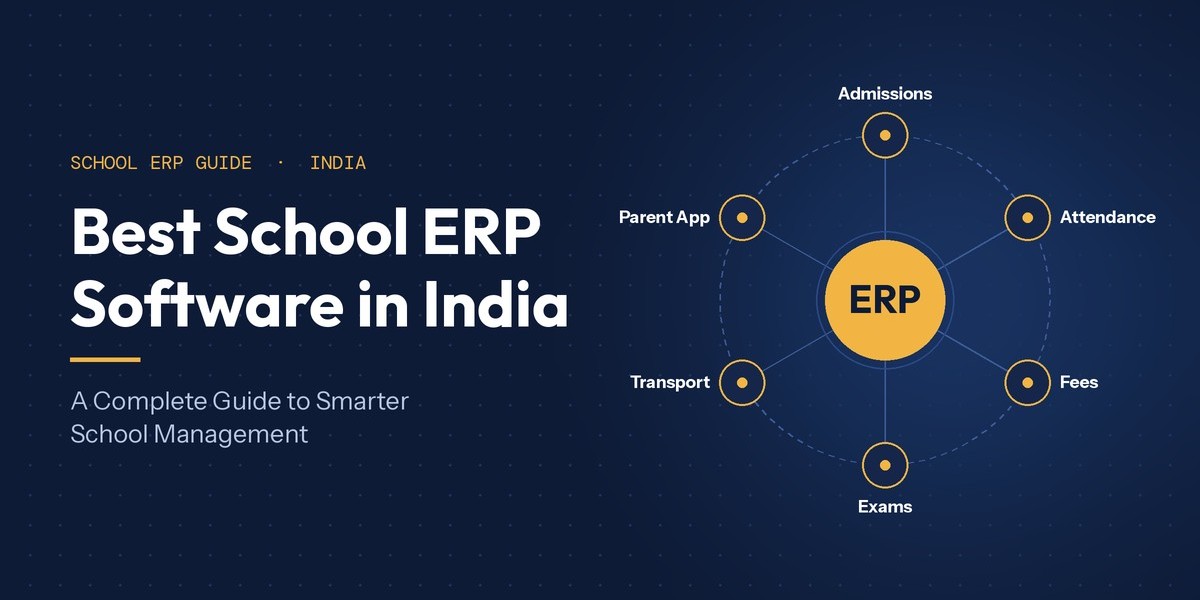
In this guide, we'll go through each part of a modern school ERP, from admissions and attendance to fees, exams, the parent app, transport and reports. You'll see what each part should do, how it saves your team time, and where One Flawless, a school ERP built for Indian schools, fits in.
What an All-in-One School ERP Software Platform Should Cover
Put simply, school ERP software gives every department in your school the same set of records. You enter a student's details once, at admission. After that, attendance, fees, exams, transport and the parent app all use those same details. Nobody has to retype a thing.
You've probably also come across the phrase school management software. That's the wider term for any tool that helps run a school. An ERP takes it one step further by linking those tools, so information flows between them on its own.
For an Indian school, a complete platform usually covers:
Reception and admissions: enquiries, admission forms and a visitor log.
Student records: profiles, documents, student services, wellness notes and alumni.
Attendance: for students and staff, marked by hand or captured with biometric or RFID devices.
Finance: fees, accounts, payroll and online payments.
Exams: marks entry, grading and result cards.
Academics: timetables, lesson plans, homework, library and live classes.
Staff: recruitment, appraisals and staff records.
Communication: SMS, email, WhatsApp, circulars and parent portals.
Administration: transport, hostel, canteen, inventory and MIS reports.
Dashboards: separate views for management, staff, students and alumni.
You don't need to switch all of these on at once. Let's look at the parts that make the biggest difference to a normal school day.
Admissions and Student Records: Getting the Basics Right
It all starts at the front desk. Once enquiries and admission forms are online, an enquiry turns into an admission, and an admission turns into a full student profile. No files get carried from one desk to the next. The visitor log at reception goes digital too, so you always know who came in and why.
This is where student management software in India really earns its place. Every child gets one profile with parent contacts, documents, class history, attendance, marks, fee status and bus route. Before a PTM, a class teacher can pull up everything in a couple of minutes. The office can print a TC without digging through old cupboards. And when a parent changes their number, every module updates at once.
Attendance That Runs Itself: Biometric and RFID
Roll call doesn't feel like a big deal until you add it up. A class of 40 loses a few minutes of the first period every single day. Then, at the end of the month, someone has to total it all by hand.
There are three easy ways to fix this. Teachers can mark attendance on their phones in a few taps. Biometric devices can record staff as they walk in. And an RFID school management system can log students at the gate when they pass a reader with their ID card.
The magic happens when these devices are linked to your ERP. The data doesn't sit stuck in a machine. It fills in the daily register, flows into monthly reports, links staff attendance to payroll and, if you turn it on, sends parents an alert when their child is absent.
One honest note: RFID records the moment a card passes a reader, and that's it. It won't follow a child around campus or replace your security staff. What you get depends on your readers, where you put them and how the system is set up. Plan it with your vendor before you buy any hardware.
Fees and Finance, Minus the Month-End Panic
Ask any school accountant about their least favourite week, and it'll be the end of a fee term. Instalments, sibling discounts, late fines and part-payments turn the ledger into a puzzle, and matching it all up can take days.
A connected fee module changes that. You set up fee structures and concessions once. From then on, the system knows what each student owes, prints receipts and keeps your dues list current. Turn on online fee payment, and parents can pay from their phone at 10 p.m. if they want to. Each payment lands against the right student automatically. With accounts and payroll in the same system, management can see exactly what's coming in and going out.
Exams, Academics and School ERP & LMS Software
Teachers didn't sign up to do data entry. A good academic module cuts that work right down. Marks go in once, and the system works out totals and grades and prints result cards for the whole class. Timetables, lesson plans and homework sit in the same place, so coordinators can see how far each section has got with the syllabus.
This is also where ERP and LMS start to overlap. The ERP runs the school. The LMS supports the learning: homework, study material, assignments and online classes. That's why many schools now want school ERP & LMS software in one package. Class lists, timetables and student records from the ERP feed straight into the learning side.
One tip before you buy: ask exactly which learning tools are included. Some platforms come with full content libraries and online tests. Others focus on homework, lesson plans and live classes. Either can work well. What matters is that it fits the way your teachers actually teach.
Parent Communication That Actually Gets Through
We've all heard it: "Ma'am, we never got that circular." Paper notices get lost in school bags. Class WhatsApp groups help, but they're messy to run, and one wrong forward can cause real confusion.
A connected system sends every message from one place, using the contact details already saved in each child's profile. That covers bulk SMS, email and WhatsApp messages for announcements. On top of that, a parent-teacher communication portal lets parents check attendance, homework, exam dates and report cards, apply for leave, and ask about their child's progress. Teachers take fewer calls, and parents get answers without waiting for the next PTM.
Why School Management Software in India Has to Work on Mobile
For most Indian families, the phone is the internet. Plenty of parents don't own a laptop at all. So for any school management software in India, a good mobile app isn't a bonus feature. It's the main way parents will ever see what your school shares.
If you're comparing options for the best school mobile app in India, here's what to look for:
Separate logins for admins, students, parents and the transport in-charge.
Alerts for circulars, attendance, homework and results.
Safe online fee payment with an instant receipt.
An e-diary and exam results parents can open any time.
A clean, simple layout that runs smoothly on budget phones and is easy for grandparents to use.
A well-made school mobile app for Android and iOS becomes something parents open every day. That means fewer phone calls, fewer missed messages and far fewer fee reminders.
Transport and Live Bus Tracking
Few things make a parent more anxious than a bus running 20 minutes late. A transport module keeps track of routes, stops, vehicles and which child rides which bus. Add GPS integration, and parents can see where the bus is right now in the app. Your transport in-charge spots the delay before the phones start ringing.
Website Integration, POS and the Small Things That Add Up
Some of the handiest features rarely make it into the brochure. With school website integration, your staff can post news, upload photos and videos from the annual day, and reply to website enquiries, all from inside the ERP. Your website stays fresh without a separate login or waiting on an outside developer. POS and barcode integration is there too, for schools that want billing and barcode scanning tied into the same system.
Dashboards: The View From the Principal's Desk
This is where education ERP software really pays off. When every module feeds the same records, the principal's dashboard and MIS reports show fees collected, attendance trends, exam results and staff data as they happen. No more waiting three days for someone to put a report together. If one section's attendance starts slipping, or pending fees start piling up, you'll spot it while there's still time to do something about it.
Staff, students and alumni get their own dashboards too, each showing only what matters to them.
How to Choose the Best School ERP Software in India
There's no single "right" answer for the best school ERP software in India. A 300-student school in a small town and a multi-branch CBSE group need very different things. These quick checks will help you narrow your shortlist:
Make them show you. Ask for a live demo of a sibling fee concession, one section's report cards and a bus route change.
Try the app yourself. Download it and use it as a parent would.
Check your hardware. Make sure the biometric devices, RFID readers, GPS units and payment gateways you plan to use are supported.
Start small, grow later. You should be able to begin with core modules and add more as you need them.
Ask about setup and support. Who moves your old data? How will staff be trained? How fast does support reply?
Know where your data lives. Find out who can see what, where it's stored and who owns it.
Look at the full cost. Count setup fees, yearly charges and add-ons, not just the headline price.
Where One Flawless Fits In
One Flawless School ERP is a cloud-based school ERP and LMS, built by a Delhi-based team specifically for Indian schools. Nearly everything we've covered here has a matching module on the platform. That includes admissions and reception, student records, student and staff attendance, fees, accounts and payroll, exams and result cards, and academics such as timetables, lesson plans, live classes and the library. It also covers staff recruitment and appraisals, transport, hostel, canteen and inventory, plus MIS reports and dashboards for each role.
What makes it a good fit for the "one connected platform" idea is everything that plugs into that core. One Flawless works with biometric and RFID attendance, online payment gateways, GPS bus tracking, WhatsApp, POS and barcode systems, and your school website. Its Android and iOS app gives admins, students, parents and the transport in-charge their own logins, with notifications, attendance, homework, online fee payment, results, circulars, an e-diary and live bus tracking. A separate communication portal lets parents follow their child's progress and apply for leave.
Every setup is built around the school's own needs, so you can start with the modules that solve your biggest problems first. The easiest way to find out if it suits your school is to book a free demo. Bring your trickiest admission, fee and attendance cases, and ask the team to show you how they'd handle them.
Bringing It All Together
The real win with a school ERP isn't any one feature. It's the connection. One admission entry feeds every module. One tap at the gate fills the register and lets a parent know their child is in. One online payment shows up straight away in the accounts. When it all works together, your staff get their evenings back, parents feel looked after, and you can see exactly how your school is doing, every day.
So here's a simple first step. Write down the three jobs that eat up the most time in your office right now. Then ask every vendor on your list to show you, live, how they'd handle them. Pick the one that makes those three jobs feel easy. If you'd like a place to start, book a free One Flawless demo and see it run on your own school's problems.