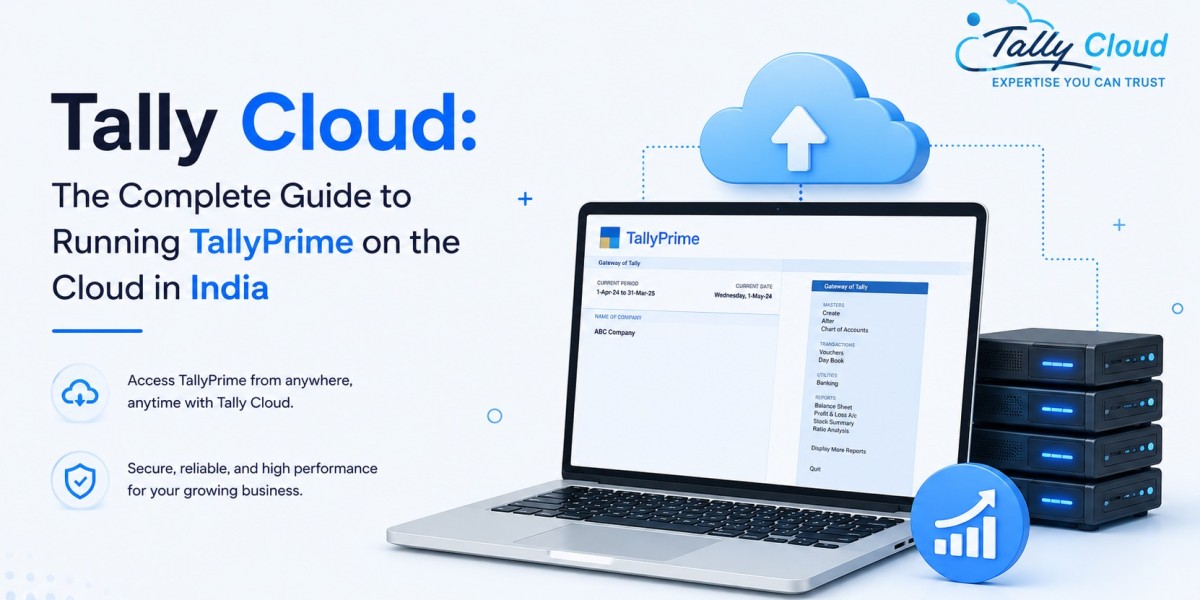

Businesses across India are moving their accounting software off local desktops and onto the cloud. This guide explains what Tally Cloud actually is, how it works, what it costs, and how to decide if it's the right move for your business.
What Is Tally Cloud?
Tally Cloud is a hosting service that runs TallyPrime (or Tally ERP 9) on a remote virtual server instead of a local computer, so you can access your accounting data from any device with an internet connection.
The software itself doesn't change — it's the same TallyPrime you already know, with the same menus, shortcuts, and reports. What changes is where it runs. Instead of installing Tally on the office desktop, your licensed copy runs on a secure virtual machine in a data center, and you connect to it remotely — typically over RDP (Remote Desktop Protocol) or a similar remote-access technology.
This is sometimes called "Tally on Cloud," and the two terms are used interchangeably across the industry.
Key facts about Tally Cloud
- It is not a different product from TallyPrime — it's the same software, hosted differently.
- It requires an active internet connection to work; offline use isn't possible on a cloud-hosted instance.
- Your Tally license (Silver or Gold, single-user or multi-user) is still required — cloud hosting is a separate, additional service on top of your Tally license, not a replacement for it.
- Data, backups, and security are managed by the hosting provider, not by your in-house IT setup.
How Does Tally Cloud Work?
Tally Cloud works by separating the software from the physical hardware. A hosting provider sets up a virtual server, installs and licenses TallyPrime on it, and gives you secure login credentials to access that server remotely — from your office, home, or while traveling.
Step-by-step: how a Tally Cloud setup is typically deployed
- Server provisioning — the provider creates a virtual machine (VM) with dedicated resources (CPU, RAM, storage) for your account.
- Tally installation and licensing — TallyPrime is installed on the VM, and your existing Tally license is activated on that server.
- Data migration — your existing company data (ledgers, vouchers, inventory records) is transferred onto the cloud server.
- User credentials setup — each team member who needs access is given a unique login, often with role-based permissions limiting what they can view or edit.
- Remote connection — users connect to the server using an RDP client (built into Windows) or a browser-based/HTML5 access tool, depending on the provider.
- Daily use — once connected, working in Tally on the cloud looks and feels identical to working on a local installation, including printing to a local printer and exporting files to a local drive.
Is Tally Cloud secure?
Reputable providers secure Tally Cloud environments using a combination of:
- Encryption for data in transit and at rest
- Firewalls and network-level access controls
- Automated, scheduled backups — usually daily
- Role-based access control, so employees only see the data relevant to their role
- Two-factor authentication on login, offered by some providers as an add-on or standard feature
It's worth noting that data security depends heavily on which provider you choose — this isn't a uniform guarantee across the industry, so it's a factor worth evaluating directly (see the checklist further down).
Tally Cloud vs Traditional (On-Premises) Tally
| Factor | Tally Cloud | Traditional (On-Premises) Tally |
|---|---|---|
| Access | Any device, any location, with internet | Limited to the machine it's installed on |
| Multi-location access | Yes, by default | Requires VPN or manual data transfer |
| Backup | Automated, provider-managed | Manual, often inconsistent |
| Hardware dependency | None — runs on provider's servers | Requires local PC/server maintenance |
| Data loss risk | Reduced via redundant backups | Higher — tied to local hardware failure or theft |
| Cost structure | Recurring hosting fee + Tally license | One-time hardware cost + Tally license |
| Setup time | Typically a few hours to a couple of days | Immediate, if hardware is already in place |
| Internet dependency | Required at all times | Not required for local use |
| IT maintenance | Handled by hosting provider | Handled in-house |
Neither option is universally "better" — the right choice depends on how many locations your business operates from, how important remote access is to your workflow, and how much in-house IT support you currently have.
Key Benefits of Tally Cloud for Indian Businesses
- Remote, multi-location access. Teams across different cities or branches can work on the same live data simultaneously, which matters for businesses with distributed operations or remote accounting staff.
- Reduced hardware dependency. No need to maintain a local server, worry about hardware upgrades, or handle physical machine failures — the provider's infrastructure handles this.
- Built-in disaster recovery. Automated backups mean a laptop theft, fire, or hardware crash doesn't mean losing your accounting history.
- Simplified IT management. Software updates, server maintenance, and uptime monitoring are handled by the hosting provider rather than an in-house IT resource.
- Scalability. Adding a new user or increasing storage is typically a quick request to the provider, rather than a hardware purchase and installation project.
- Business continuity during disruptions. Since access only requires an internet connection, work isn't interrupted by office closures, local power issues, or staff working from home.
Limitations of Tally Cloud (What to Know Before Switching)
Being upfront about the trade-offs matters as much as the benefits:
- Internet dependency. If your connection goes down, so does your access to Tally — this is the most significant practical limitation compared to a local install.
- Recurring cost. Cloud hosting adds an ongoing monthly or yearly fee on top of your existing Tally license cost, unlike a one-time local setup.
- Provider reliability matters. Your uptime and data security are only as good as the hosting provider you choose — this makes provider selection a genuinely important decision, not a formality.
- Slight learning curve. Users unfamiliar with RDP or remote desktop tools may need a short orientation, though the Tally interface itself doesn't change.
- Performance depends on connection quality. A slow or unstable internet connection can affect responsiveness, particularly for users in areas with inconsistent broadband.
How Much Does Tally Cloud Cost?
Tally Cloud pricing in India is typically structured as a per-user, monthly or yearly hosting fee, separate from your TallyPrime license cost. Based on current market offerings from various Indian hosting providers, entry-level single-user plans commonly start in the range of roughly ₹199–₹300 per month, with pricing increasing based on:
- Number of users accessing the server simultaneously
- Storage allocation for your company data
- Server resources (CPU/RAM) — higher for businesses with large datasets or heavy multi-user activity
- Additional features like extra backup frequency, priority support, or two-factor authentication
- Annual vs monthly billing — annual plans often carry a discount over monthly billing
Exact pricing varies by provider and plan, so it's worth comparing current published rates directly rather than relying on general estimates — [check current Tally Cloud pricing plans] for up-to-date figures.
Which Tally Cloud Provider Is Best?
There's no single "best" provider for every business — the right fit depends on your specific needs. That said, the criteria worth evaluating are consistent:
A practical checklist for choosing a Tally Cloud provider
- Uptime track record — ask for a stated uptime commitment, not just a general claim of reliability.
- Data center location — servers located within India generally offer better latency for Indian users.
- Backup frequency and retention — daily backups with a clear retention window (e.g., 7, 15, or 30 days) are a reasonable baseline to look for.
- Support responsiveness — since your accounting operations depend on this access, check whether support is available during your actual working hours, and ideally beyond.
- Security practices — ask directly about encryption, access controls, and backup procedures rather than assuming.
- Transparent pricing — clear, published pricing without hidden setup fees is a reasonable sign of a well-run provider.
- Migration support — a provider that actively helps migrate your existing Tally data reduces the risk and effort of switching.
Who Should Use Tally Cloud?
Tally Cloud tends to make the most practical difference for:
- Chartered accountant (CA) firms managing multiple client companies who need secure, organized, role-based access across a team.
- Businesses with multiple branches or locations that need everyone working on the same live data instead of reconciling separate files.
- Companies with remote or hybrid accounting staff who need Tally access outside a physical office.
- Growing SMEs that want to avoid investing in and maintaining in-house server hardware.
- Businesses prioritizing data continuity, where losing local data to hardware failure or theft would be a serious operational risk.
Smaller, single-location businesses with one bookkeeper working from a fixed desktop may find that traditional, local Tally installation meets their needs adequately — cloud hosting is a genuine upgrade specifically when remote access, multi-user collaboration, or data continuity become priorities.
Frequently Asked Questions
What is Tally Cloud? Tally Cloud is TallyPrime or Tally ERP 9 hosted on a remote virtual server, accessed over the internet instead of installed on a local computer. The software and its features remain the same; only the hosting location changes.
How does Tally Cloud work? A provider sets up a virtual server, installs and licenses Tally on it, migrates your data, and gives you remote login access — typically via RDP — so you can use Tally from any device with an internet connection.
How much does Tally Cloud cost? Pricing is usually a per-user monthly or yearly hosting fee, separate from your Tally license, with entry-level plans commonly starting in the low hundreds of rupees per user per month. Exact cost depends on the provider, number of users, and storage/resource needs.
Which Tally Cloud is best? The best choice depends on your specific requirements — evaluate providers on uptime commitments, data center location, backup practices, support quality, and pricing transparency rather than choosing based on price alone.
Why should businesses use Tally Cloud? Businesses adopt Tally Cloud primarily for remote and multi-location access, automated data backup, reduced dependency on local hardware, and simplified IT management — particularly when teams are distributed or data continuity is a priority.
What are the benefits of Tally Cloud? The core benefits are remote accessibility, multi-user collaboration on live data, automated backups and disaster recovery, reduced hardware maintenance, and easier scalability as a business grows.
Is Tally Cloud safe for financial data? Security depends on the specific provider's practices — encryption, access controls, and backup frequency are the factors that determine safety, and these should be confirmed directly with any provider before switching, rather than assumed.
Can I switch from local Tally to Tally Cloud without losing data? Yes — providers typically handle data migration from your existing local Tally installation to the cloud server as part of the onboarding process, transferring your company data, ledgers, and history intact.
Final Thoughts
Tally Cloud isn't a replacement for TallyPrime — it's a different way of hosting the same trusted software, built around remote access, centralized data, and reduced hardware dependency. For businesses with distributed teams, multiple branches, or a real need for data continuity, it addresses practical operational gaps that a local installation can't. For a single-location business with straightforward needs, a traditional setup may remain perfectly adequate.
The decision ultimately comes down to how your business actually works day to day — and matching that against what cloud hosting specifically solves, rather than treating it as a universal upgrade.
Source- https://blogosm.com/tally-cloud-the-complete-guide-to-running-tallyprime-on-the-cloud-in-india